Manual combinations
If a reservation doesn’t fit at a single table, 20Tabs looks for a matching combination of tables within the same area. By default, any table may be combined with any other table in the area. If that isn’t always possible in practice, for example because of a step, fixed decor, or an escape route, you can set per area which tables may actually be combined.
Go to Backoffice > Reservations > Manual combinations.
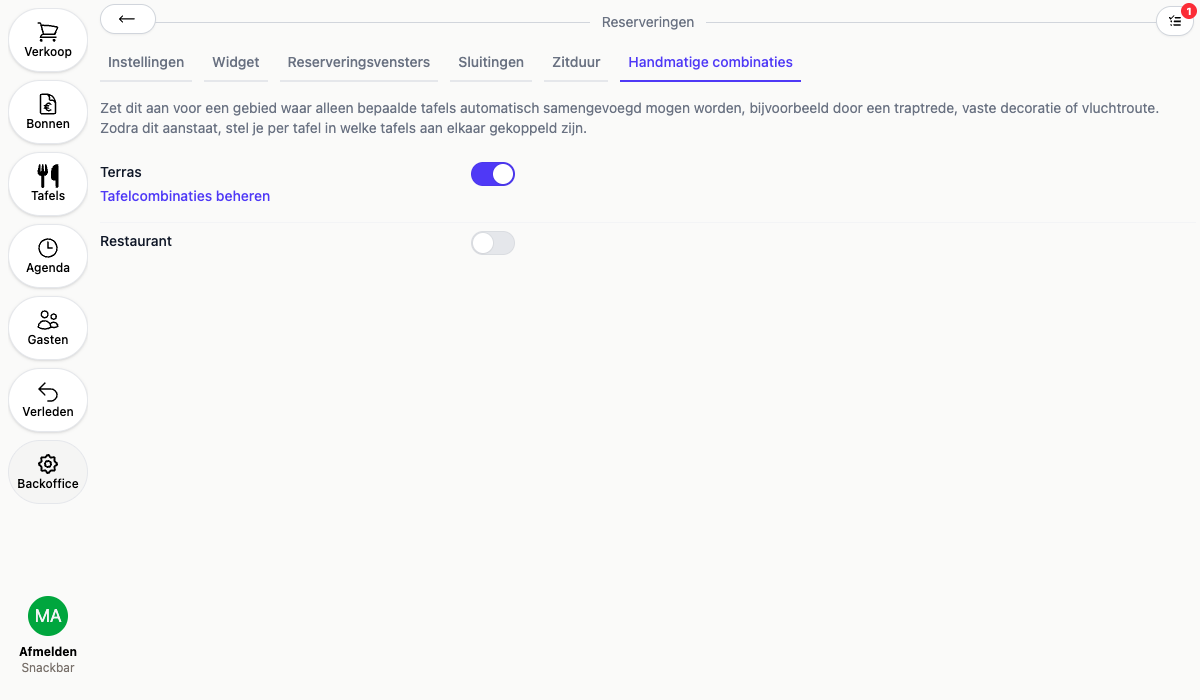
- Turn on the toggle for the area where not every table may be combined with every other one
- Click Manage table combinations to go to that area’s tables
- Open a table and fill in Tables that may be joined with this one. This is only available for tables that are reservable online
- Next to each selected table, enter how many seats lost that combination costs. When you push two tables together, the places at the joining ends usually become unusable. 20Tabs subtracts this from the capacity of the combination, so you never book a party that doesn’t fit. Leave it at 0 if no places are lost
- Repeat this for every table that may be combined with another
Two tables of 4 with 2 seats lost therefore seat 6 guests together. If you join more than two tables, 20Tabs counts one link fewer than the number of tables: with three tables the two lowest values count, with four tables the three lowest.
As long as the toggle for an area is off, 20Tabs ignores these links for that area and any combination of tables may be used. The configured seat loss is then ignored as well.