
Enabling and configuring reservations
With Reservations, guests can book a table online, while your staff keeps track of the reservation calendar with automatic confirmation emails, reminders, and no-show detection.
Settings
Head to the Backoffice and click Reservations to open the settings.
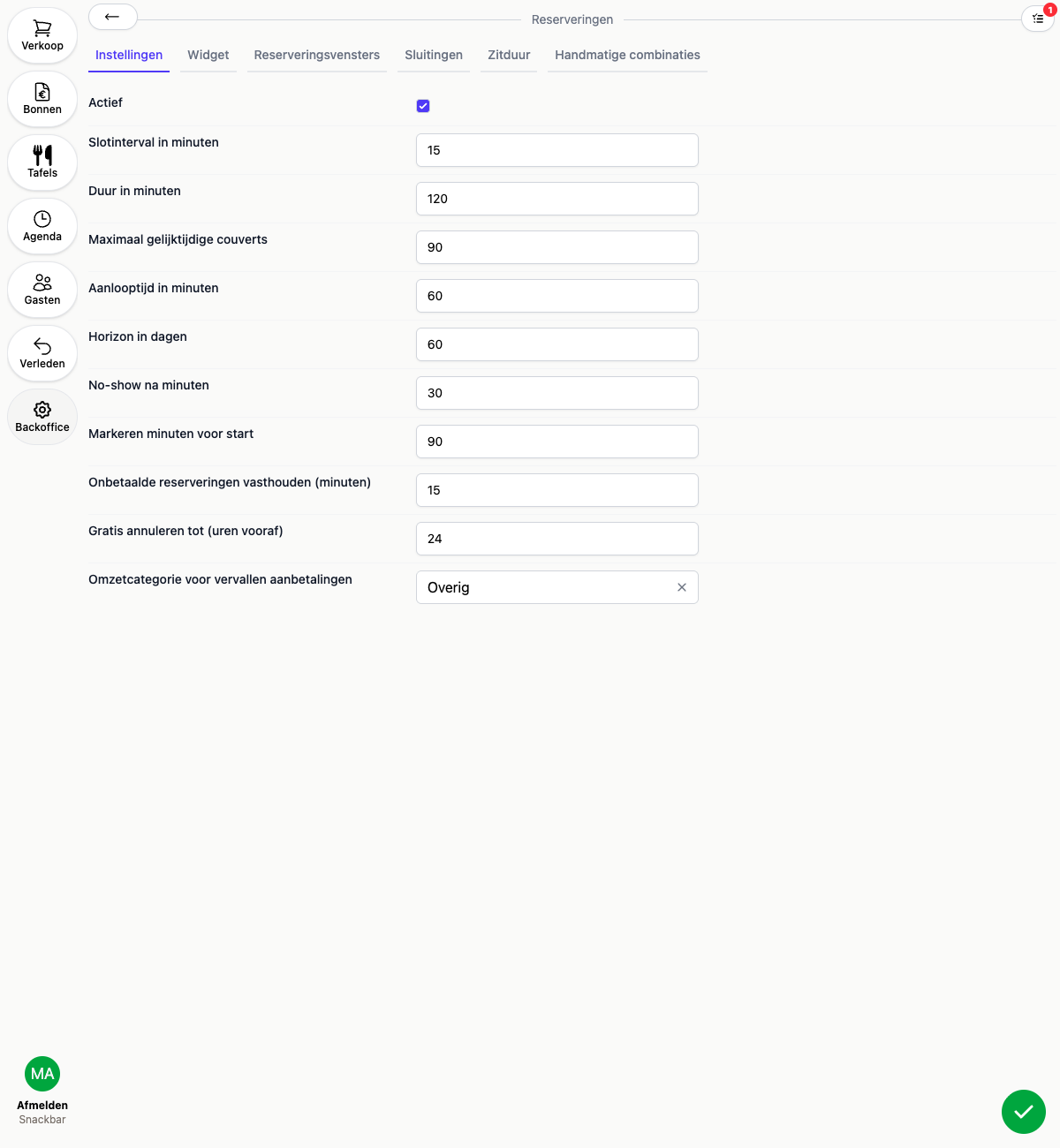
- Active: turns Reservations on or off. If this is off, the booking widget isn’t reachable and the reservation calendar is unavailable
- Slot interval in minutes: the interval at which bookable times are shown, for example every 15 minutes
- Duration in minutes: the default seating duration for a reservation. Want to fine-tune this by party size? See Seating duration
- Maximum concurrent covers: the maximum number of guests that can be seated at the same time, across all reservations
- Lead time in minutes: how far in advance a guest must book at minimum, for example 60 minutes
- Horizon in days: how far into the future a guest can book a reservation
- No-show after minutes: how long after the booking time an unconfirmed arrival is automatically marked as a no-show
- Highlight minutes before start: how far ahead of time an upcoming reservation gets highlighted on the floor plan and order screen
- Hold unpaid reservations (minutes), Free cancellation until (hours ahead), and Revenue category for forfeited deposits: see Deposits for reservations
The other reservation settings
Along the top of the reservation settings you’ll find tabs to the other parts:
- Widget: the online booking widget for your website, see The online booking widget
- Booking windows: the opening hours during which guests can book online, see Booking windows
- Closures: periods during which online booking is temporarily unavailable, even inside a window, see Closures
- Duration rules: seating duration by party size, see Seating duration
- Manual combinations: set per area which tables may be automatically combined for larger parties, see Manual combinations
Want to create your own reservation kinds, like Lunch or High Tea? Those are managed separately, see Reservation kinds.