Pickup

Online ordering and pickup

Your own ordering page, filled with the menu that's already on your POS. Guests pick a pickup time and pay ahead. Every order lands straight on your POS and in your kitchen, just like your team's orders.

Included with 20Tabs, no extra costs and no commission per order

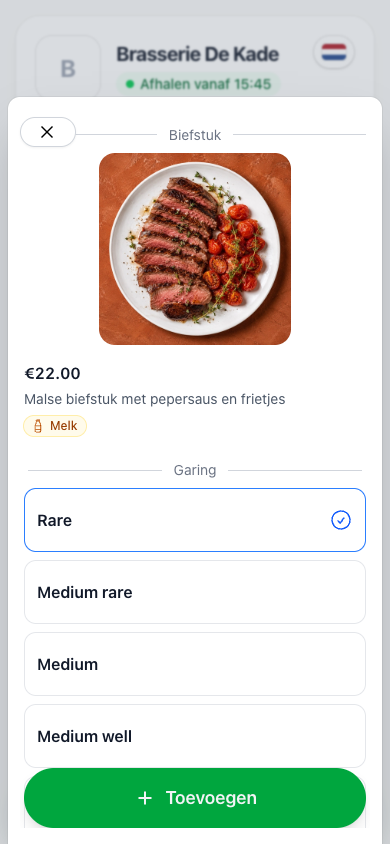
A guest chooses how the steak should be cooked
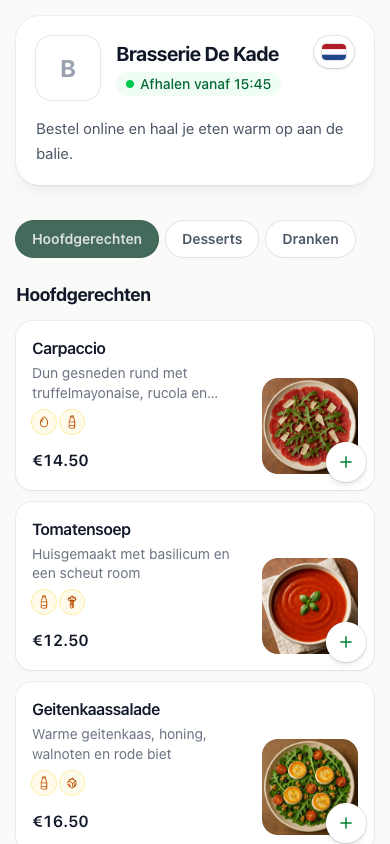
The online menu with a photo, description and allergens for every dish
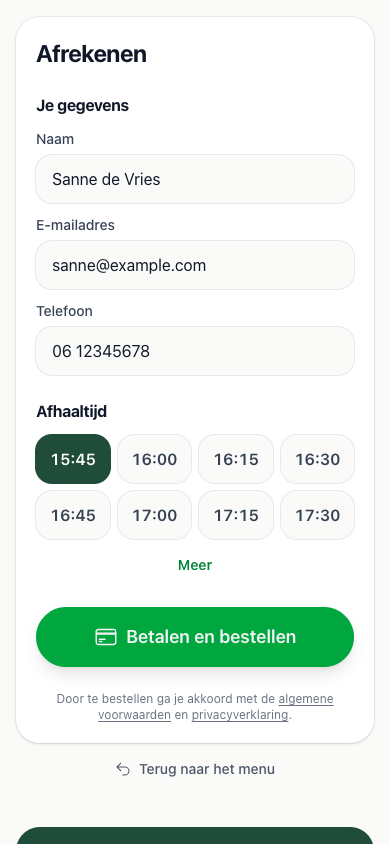
Checkout with name, email address and a chosen pickup time

Pickup times

In time slots you choose, with a limit per slot

Paid upfront

Guests pay online, so every order is already paid for

Multilingual

Your menu appears in the guest's own language, automatically

Included

No extra costs and no commission per order

Pickup times

As many orders as your kitchen can handle

You decide how busy it gets. Guests only see the times your kitchen still has room for, so Friday night doesn't suddenly overflow.

Slots and a limit

For example a pickup time every fifteen minutes with room for six orders. Once a slot is full, it drops off the list

Time to cook

Set the minimum number of minutes between ordering and pickup. You can set it differently per opening window, for a quiet lunch and a busy evening

Today or further ahead

Let guests order for today only, or a week ahead for that party on Saturday

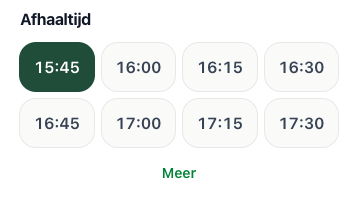
The pickup times a guest can choose at checkout
15
min per slot
6
per slot
20
min to prepare
7
days ahead
Menu

Your menu is already there

Pick a button page from your POS as the menu. Products, prices, photos and options come along, so there's no second menu to maintain.

The same options as on the POS

Doneness, sauce or side: guests choose themselves, and the kitchen reads it under the line. A note per dish works too

Allergens on every dish

The fourteen EU allergens are shown on the menu, and you can add anything else your guests should know. Nobody has to call to ask

Sold out means sold out

Mark a product sold out on the POS and it can't be ordered online either

Opening hours

Open when you want to be

Your ordering page has its own opening hours, separate from your venue. When you're closed, guests can already order for the first pickup time.

Regular hours and exceptions

A fixed weekly schedule, a one-off extra evening or adjusted hours around the holidays

Closures in one place

One closure shuts your ordering pages and your online reservations in one go

Your own closed message

Guests see when you're open again, with your own message alongside

Kitchen open
Every day
11:00 – 23:30
Christmas
24 to 26 December
12:00 – 20:00
New Year's Day
1 January
Closed
We're closed right now. Order ahead, the first pickup time is 11:30.
Kitchen and bar

Just another order

No delivery platform tablet on the bar and nothing to retype. An online order sits in your POS alongside the rest, with its pickup time.

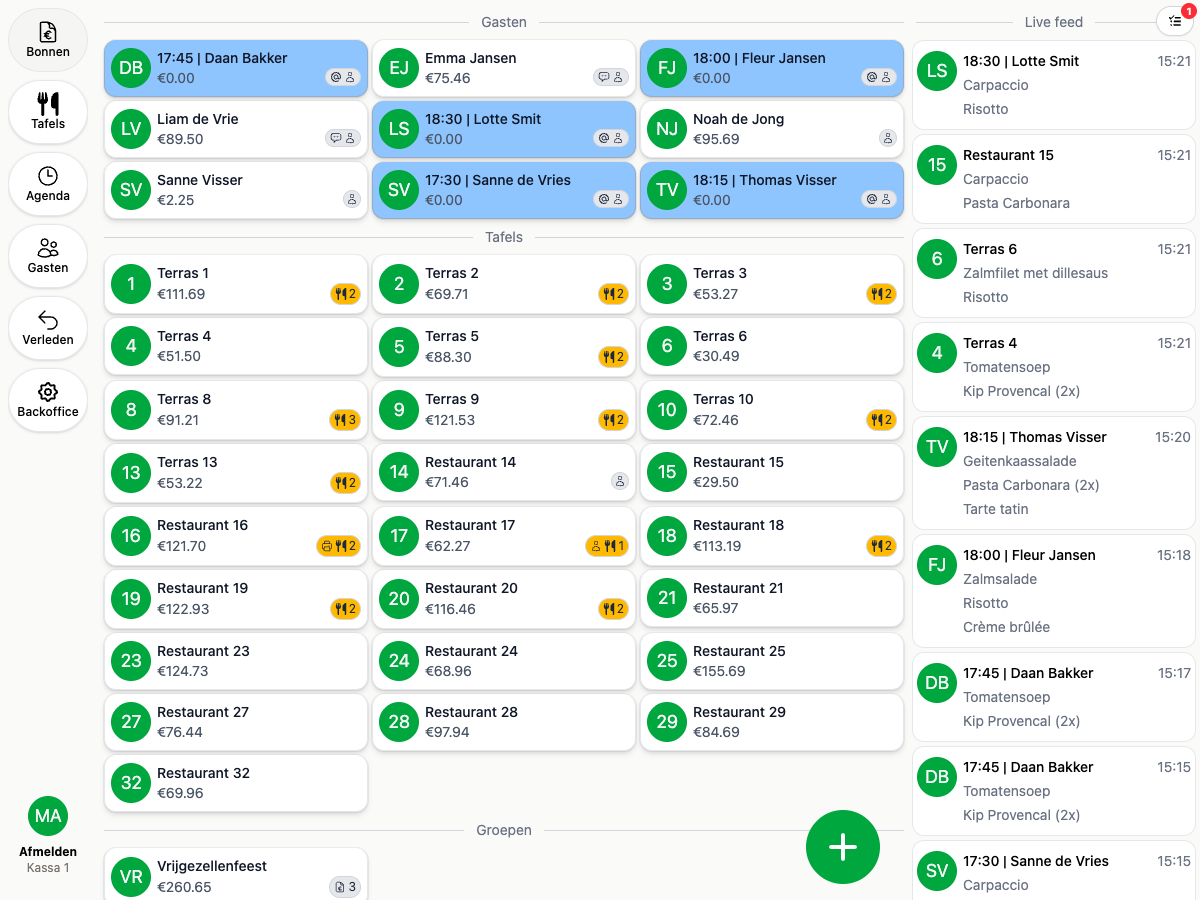
The POS with takeout orders by guest name and pickup time, at the top of the overview

On your POS as a takeout

With the guest's name and pickup time, in the colour you use for takeout

On the printer and kitchen display

The order goes to your kitchen just like your takeout orders do

In your reports

Revenue, VAT and products count towards your reports, with no separate export from another platform

Ordering at the table too?

With the same menu, guests can also order at the table, with a QR code on every table.

See QR ordering
Ready to get started?

are a great day to get started with 20Tabs

Every feature is unlocked from day one. No contracts to sign, no haggling, no sales calls. Just software that works and that you can set up yourself. Curious how quickly we reply? Hit the chat button in the corner and see for yourself.

Try it free

Spin up a full account in minutes, with every feature unlocked.

Up and running in an hour

Process your first order within the hour. Our quick-start guide walks you through every step.

Try for free