
Payment methods
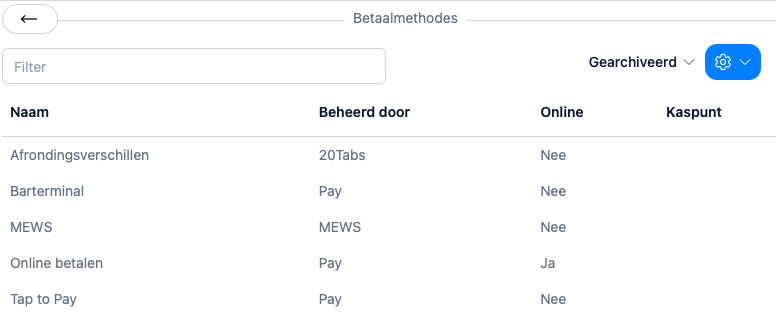
20Tabs supports a range of payment methods, and you can decide which ones show up by default on each device.
There are three kinds of payment methods:
- Methods you set up yourself, for example cash, or a card terminal that isn’t linked to 20Tabs
- Methods 20Tabs manages for you, like “rounding differences”, where every cash rounding adjustment is booked automatically
- Methods provided by an integration. Install an app from a payment provider and you can sync its methods using the button in the top right
Card terminals
When you use a linked card terminal, the total appears on the terminal automatically. As soon as the payment goes through, it’s booked against the right bill, with no retyping required.
Tap to Pay
Tap to Pay (sometimes called SoftPOS) lets you accept payments right on a handheld or phone, with no separate card terminal. Add the Tap to Pay payment method on your handheld, install your payment provider’s app, and once you hit Tap to Pay, your device turns into a card terminal on the spot. The payment is booked against the bill the moment it clears.
Online payments
You can email bills straight to guests from 20Tabs. If you’ve connected an online payment method, the email goes out with a payment link at the bottom. No extra steps for you or the guest.